
Store migration

PrestaShop to Shopify migration

We move PrestaShop stores onto Shopify with the catalogue, the combinations, the customers and the order history intact, and every changed URL redirected before launch. Shopify has no first party importer for PrestaShop, so every route into Shopify is a third party tool or a bespoke script, and choosing between them is the first real decision on the project. You see the full scope before you commit to anything.

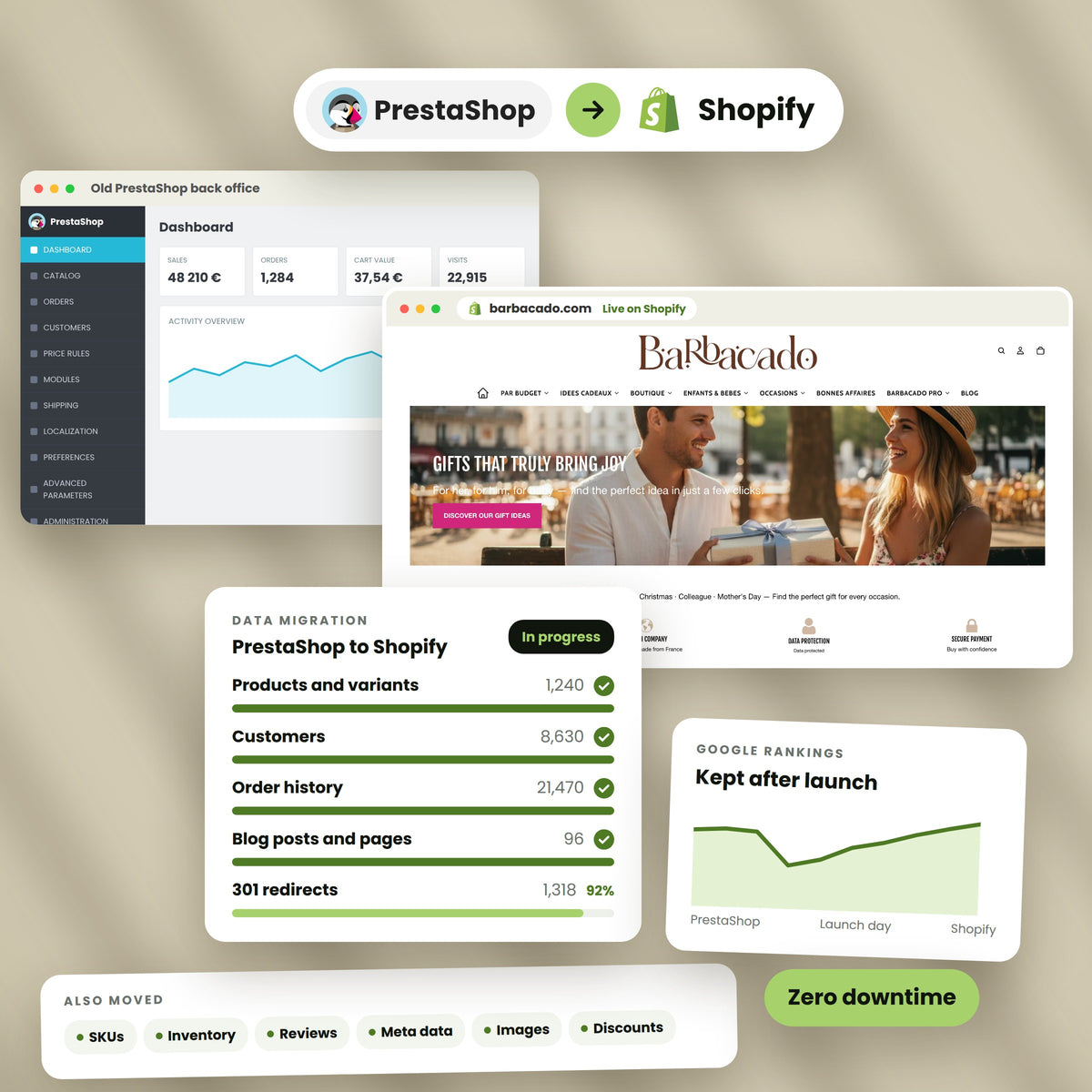
A PrestaShop store and the rebuilt Shopify store side by side
100%
Order history preserved
0 min
Planned downtime
301
Redirects mapped
Partner
Shopify certified
Logo-Image Logo-Image Logo-Image Logo-Image Logo-Image Logo-Image

Why stores leave

PrestaShop asks you to be a sysadmin

Nothing here is a knock on the software. PrestaShop is a capable, genuinely open platform and it runs a great many good stores. The reasons merchants leave are almost always about what it costs to keep running, not about what it can do.

You

Own the server

Hosting, TLS certificates, PHP versions, database tuning and backups are yours. Shopify takes all of it, which is the single biggest change most teams feel.

Every

Major version is a project

Moving between major PrestaShop versions means auditing every module for compatibility. Teams who have done a 1.6 to 1.7 jump usually describe it as a rebuild, not an upgrade.

3 to 6

Months of module support

Paid modules are commonly sold with a support window rather than a perpetual licence. When the window closes, compatibility with the next core release costs money again.

0

First party import path

Shopify Store Migration imports from Square, WooCommerce, Etsy, Wix, Amazon, eBay, Clover and Lightspeed. PrestaShop is not on that list, so every route is third party or bespoke.

What you gain

The maintenance stops being your problem

The move is worth doing when the cost of keeping PrestaShop running exceeds what its openness is buying you. For most stores that tipping point arrives with the second or third major version upgrade.

  • No server, no patch cycle

    Shopify runs the infrastructure, the certificates and the PCI compliance. There is no core update to schedule and no module to test against it.

  • Checkout you cannot break

    Shopify checkout is maintained by Shopify and converts on their infrastructure, not your hosting tier. On Plus you extend it through Checkout Extensibility rather than overriding it.

  • A developer market that is growing

    Finding a developer fluent in current PrestaShop, rather than only in 1.6, has become harder and more expensive. The Shopify partner pool is larger and easier to replace from.

  • Variant headroom you probably think you lack

    Shopify raised the ceiling to 2,048 variants per product for every merchant. Most guides still quote the old limit of 100. The constraint that does still bite is three options per product, and that one is real.

Talk it through

Checked, not repeated

Four things the other guides get wrong

We read ten PrestaShop migration pages while writing this one. These are the claims that did not survive a check against the source.

2,048

Variants per product, not 99

Shopify raised the per product variant limit from 100 to 2,048 for all merchants. Four of the guides we read, all published in 2026, still tell you the cap is 99 or 100 and advise splitting products to cope with it.

3

Options per product, still true

This is the limit that actually constrains a PrestaShop catalogue. Attribute groups are effectively unlimited in PrestaShop. Shopify gives you three option slots, so a fourth attribute has to become a metafield, a tag or a separate product.

5

Reviews on the dedicated app

The one PrestaShop specific migration app on the Shopify App Store carries five reviews. One guide calls the PrestaShop tooling landscape mature and well maintained. Five reviews is not that.

714k vs 156k

Store counts that contradict

Two guides published weeks apart put the PrestaShop install base at 714,000 and at 156,539. Both are cited with confidence. We publish neither, because we cannot verify either.

Rebuilt, not moved

What has to be built again

PrestaShop is PHP, Smarty and Symfony. Shopify is Liquid, and on Plus, Functions and checkout extensions. Nothing in this column is a file you copy across.

  • 01

    The front end

    Smarty templates and any Hummingbird or classic theme work do not convert to Liquid. The storefront is a rebuild whichever platform you leave. Most brands use the move to redesign rather than reproduce.

  • 02

    Custom modules

    Hook based modules and, from PrestaShop 9, Symfony bundles have no translation layer. Each one becomes a Shopify app, a Shopify Function, a metaobject, or it gets dropped because the platform now does it natively.

  • 03

    Checkout customisations

    Age gates, consent capture and custom validation steps rebuild through Checkout Extensibility, which is a Plus feature. On lower plans those steps cannot be reproduced at checkout.

  • 04

    Specific price rules

    PrestaShop specific prices attach to products, categories, customer groups or the whole shop. They become B2B price lists, customer segments and discount Functions. The logic survives, the mechanism does not.

  • 05

    Multistore

    A PrestaShop multistore install maps to expansion stores on Plus, or to Shopify Markets inside one store. Which one is right depends on whether your catalogues are genuinely different or just priced differently.

  • 06

    CMS blocks and content

    PrestaShop CMS pages carry across as content. The block layouts around them rebuild as Shopify sections and metaobjects, which is where the theme work and the content work meet.

Scope

What we look at before quoting

The audit is where a PrestaShop migration is won or lost, because the database will tell you the truth about the catalogue and the module list will tell you the truth about the budget.

  • Every attribute group in use, and which three earn an option slotThe single most expensive thing to get wrong
  • The full module inventory, separated into replace, rebuild and drop
  • Specific price rules and the customer groups they attach to
  • Friendly URL settings as configured, not as documentedCategories usually sit at the root
  • Multistore configuration and whether catalogues are shared
  • Order and customer volumes, and how far back history needs to go
  • Product comments, where the module is enabled and reviews are live
  • Carrier and tax configuration, including any local VAT handling

What actually moves

Everything in the database is reachable

This is the part where PrestaShop is easier than Wix or Squarespace, and it is worth saying plainly. You host it, so you have the database. Nothing is locked inside a platform that refuses to export it. The work is transformation, not extraction.

  • 01

    Products and combinations

    Names, descriptions, references, EAN and UPC, prices, cost, weights and dimensions, stock, images and image positions. Combinations become variants, within the three option limit.

  • 02

    Features

    Product level features that are not driving price or stock become metafields, which is where they belong. Trying to force them into option slots is the classic mistake.

  • 03

    Categories

    Categories become collections. Deep category trees flatten, because Shopify collections do not nest, so the hierarchy moves into navigation and tags.

  • 04

    Customers and groups

    Names, emails, addresses and newsletter status. Customer groups become segments or B2B companies. Passwords never move, on any platform, because they are stored as one way hashes.

  • 05

    Order history

    Full order records with line items, addresses, totals, tax and status. Shopify admin has no order import at all, so this always runs through an app or the API, whatever platform you come from.

  • 06

    Product comments

    PrestaShop ships an official reviews module and stores the reviews in your database. Because you have that database, they are recoverable, into Judge.me, Loox or Yotpo. Shopify has no native reviews to import them into.

  • 07

    CMS pages and blog posts

    Content, titles, friendly URLs and meta fields carry across. Blog structure changes, because Shopify nests articles under a blog handle.

  • 08

    Cart rules and vouchers

    Discount codes, amounts, validity windows and usage limits move. Complex stacking rules get reviewed by hand, because the two platforms disagree about how discounts combine.

  • 09

    Manufacturers and suppliers

    Manufacturer becomes vendor, which is a clean mapping. Suppliers have no Shopify equivalent and become metafields or tags if you still need them.

What breaks

The six that cost real money

Every one of these is solvable. None is a reason to stay. They are the reason a serious audit comes before a price.

  • 01

    The fourth attribute

    Size, colour, material and pack size is four attributes. Shopify allows three options. One of them has to stop being an option, and deciding which is a merchandising decision, not a data decision.

  • 02

    Category URLs at the root

    PrestaShop friendly URLs commonly put categories at the root of the domain. Shopify forces them under a collections path. That is usually a larger redirect surface than the product URLs everyone worries about.

  • 03

    Nested categories

    PrestaShop category trees can be many levels deep. Shopify collections are flat. The tree has to be re expressed through navigation, tags and automated collection rules.

  • 04

    Paid module licences

    Module spend is not recoverable and does not transfer. The Shopify apps that replace them are usually monthly rather than one off, which changes the shape of the running cost even when the total falls.

  • 05

    Direct database access

    If anything in your business reads the PrestaShop database directly, a report, an integration, a script somebody wrote years ago, it stops working. Shopify gives you an API, not a database.

  • 06

    Customer passwords

    They cannot move and no tool can move them. Anyone who tells you otherwise is describing something that is not possible. Customers reset on first login, and the reset campaign is part of launch.

Modules to apps

What replaces the module stack

A store with twenty modules does not need twenty apps. Some of what you are paying for is already in Shopify, and that is where the running cost drops.

  • 01

    Product comments

    Judge.me, Loox or Yotpo. Shopify has no native reviews, so this is one of the few places where you must add an app to keep what you already had.

  • 02

    Advanced search and filters

    Shopify Search and Discovery is free and covers most of what a paid PrestaShop search module did. Klevu or Algolia where the catalogue is large enough to justify them.

  • 03

    Loyalty and points

    Smile, LoyaltyLion or Yotpo. Point balances migrate by CSV where the module exposed them, which is not always.

  • 04

    Pricing and discount logic

    Shopify Functions on Plus, B2B price lists for account pricing, and automatic discounts for the rest. This replaces most custom pricing modules outright.

  • 05

    Multi currency and language

    Shopify Markets with Translate and Adapt, native rather than a module stack. This is one of the clearest wins in the whole move.

  • 06

    ERP and accounting connectors

    Rebuilt as an app or a custom app against the Admin API, often through middleware. Budget this properly. It is routinely the largest single line after the theme.

The catalogue

Combinations are where the hours go

PrestaShop lets you build combinations from as many attribute groups as you like. Shopify gives you three option slots and 2,048 variants. Reconciling those two models is the most consequential decision on the project and it happens in week one, not week fifteen.

  • Three slots, chosen deliberately

    The options that drive price, stock or a distinct image earn a slot. Everything else is describing the product, not varying it.

  • Features belong in metafields

    PrestaShop features were never variant data. They become metafields and show up on the product page as specifications, which is what they always were.

  • The 2,048 ceiling is rarely the problem

    Three options multiplied out will reach a few hundred combinations in most catalogues. Stores that genuinely exceed 2,048 usually have a fourth attribute that should have been split into separate products anyway.

  • 250 media files per product

    This limit is easier to hit than the variant limit, and no guide mentions it. A product with an image per combination can run out of media before it runs out of variants.

Get the catalogue audited

Free

Get the PrestaShop migration checklist

The same checklist we run internally. Forty one items across the module audit, combinations, data, SEO, payments and launch. No email wall.

Send me the checklist

We reply within one working day.

How it runs

Six stages, and you sign off each one

You keep trading on PrestaShop until the day we cut over. Nothing goes live until the numbers reconcile against your own database.

Audit

We read the database, not the brochure. Attribute groups, module list, specific prices, friendly URL configuration, multistore setup and data volumes.

  • Full module inventory
  • Attribute group analysis
  • URL crawl of every indexed page
  • Written scope before any price

Start with the audit

The audit stands on its own. If it says stay on PrestaShop, that is what it will say.

Book the audit

Situations

Migrations shaped like yours

Written as scenarios rather than logos. We do not publish client names or numbers without written permission, and we are not going to start on a page that is trying to win your trust.

Industrial supplies

Six attribute groups, three slots

Diameter, length, material, finish, thread and pack quantity had each been an attribute group. The three that changed price and stock stayed as options. The other three became metafields and drove a filtered collection instead.

Catalogue rebuilt with no product splitting

Homeware

Categories that lived at the root

Friendly URLs had been configured years earlier to put every category at the root of the domain, so the redirect surface was far larger than the product pages suggested. The crawl found them before the move, not after.

Every indexed category redirected at cutover

Specialist retail

A report reading the database directly

Weekly stock reporting ran on a SQL query against the PrestaShop database that nobody had looked at in years. It was found during the audit and rebuilt against the Admin API before cutover rather than discovered missing afterwards.

No reporting gap at launch

Search

The redirects are the whole job

Organic traffic is the thing a migration can permanently destroy, and it is entirely preventable. PrestaShop URLs are configurable, which means your structure is whatever a previous developer chose, so the only reliable source is a crawl of the live site.

A Shopify product page scoring 97 on performance, with the redirect map beside it
  • Crawl first, assume nothing

    PrestaShop friendly URLs can include the numeric ID, omit it, nest categories or sit at the root. Reading the settings is not enough. We crawl every page that returns a 200.

  • Categories are the risk, not products

    Product redirects are mechanical. Category pages are where the links and the rankings usually sit, and where the path change is largest.

  • Redirects live at cutover

    Not the next morning. The map is loaded and tested on the development store, then goes live with the DNS change.

  • Metadata carried, not rewritten

    Titles and descriptions come across as they are. A migration is the wrong moment to change what is ranking, because you lose the ability to tell which change caused what.

See the SEO scope

Your version

It matters less than you would think

The data extraction differs a little by version. The rebuild, which is most of the cost, does not change at all.

  • 1.6

    PrestaShop 1.6

    Long out of support and usually on an old PHP release. Extraction is by direct database work. For stores still on 1.6, moving to Shopify is frequently less work than upgrading to 8, because both are a rebuild and only one of them ends the upgrade cycle.

  • 8

    PrestaShop 1.7 and 8

    The common starting point. The webservice API covers most entities and the database covers the rest. PrestaShop 8 sits on a Symfony release that left official support in November 2023, which is worth knowing if security is part of your case for moving.

  • 9

    PrestaShop 9

    Cleaner extraction on a current Symfony base. If you have recently done the 8 to 9 upgrade, you already know what a major version costs you. The migration price is much the same either way, because the front end rebuild dominates.

Cost

What actually drives the number

We quote fixed after the audit, never as a range before it. These are the five things that move the figure, in the order they usually move it.

  • 01

    The module list

    Not how many, but how many do something the platform does not. Twenty modules where fifteen are replaced by native Shopify features is a cheaper project than six modules that all encode business rules.

  • 02

    The storefront route

    Rebuilt as it is, given a facelift, or redesigned. All three are quoted inside the migration rather than as a second project.

  • 03

    Integrations

    ERP, PIM, accounting and 3PL connections are discrete rebuilds. This is where PrestaShop projects most often exceed their budget.

  • 04

    Catalogue shape

    A catalogue that fits three options cleanly costs less than one that needs restructuring. The audit tells us which you have before anyone quotes.

  • 05

    Multistore and markets

    One store with Markets is straightforward. Several expansion stores with genuinely different catalogues is a larger piece of work and needs a Plus conversation.

Also migrating from

Other platforms we move stores off

The playbook is mostly shared. What changes is where the platform hides your data and which constraints bite on the way in.

  • WC

    WooCommerce to Shopify

    Shopify imports WooCommerce natively, which makes it the easiest path of any platform here.

    WooCommerce migration
  • M2

    Magento to Shopify

    The closest relative to PrestaShop. Self hosted, module heavy, and the same three option problem.

    Magento migration
  • BC

    BigCommerce to Shopify

    A SaaS to SaaS move, so the data is clean and the work sits in the storefront and the apps.

    BigCommerce migration
  • SQ

    Squarespace to Shopify

    The opposite problem to PrestaShop. The data is locked in and the export is the hard part.

    Squarespace migration
  • WX

    Wix to Shopify

    Products, order history and every changed URL, with the same three option limit on arrival.

    Wix migration
  • SF

    Salesforce to Shopify

    Enterprise replatforming, where the cartridge surface is the equivalent of your module list.

    Salesforce migration

How we work

The commitments that matter on a migration

Minutes of planned downtime at cutover
0
URLs crawled and mapped before launch
100%
Days of monitoring after launch, included
30
Price after the audit, never a range
Fixed

None of these are difficult to promise. They are difficult to keep, which is why we put numbers on them.

Risk

How we keep it recoverable

A migration you cannot reverse is a migration you should not start.

  • PrestaShop stays up

    Keep the hosting running for a month after launch. It costs very little and it means a bad week is recoverable rather than theoretical.

  • A full database dump before anything

    Taken by us, held by you. You own the server, which is the one genuine advantage PrestaShop has over a hosted platform on migration day.

  • Trial import before the real one

    Everything is imported into a development store and reconciled first. The production import is a repeat of something that already worked.

  • Reconciled against your numbers

    Product counts, variant counts and order totals checked against your own database, not against the migration tool reporting on itself.

  • Cutover on a quiet day

    Never into a promotion and never on a Friday. The delta import means nothing is lost by waiting for the right morning.

Questions

PrestaShop to Shopify, answered

The questions merchants actually ask, answered against Shopify and PrestaShop documentation rather than against what reads well.

Does Shopify have an official PrestaShop importer?

No. Shopify Store Migration imports from Square, WooCommerce, Etsy, Wix, Amazon, eBay, Clover and Lightspeed R and X. PrestaShop is not on that list. Every route in is a third party app such as Cart2Cart, LitExtension, MigrationPro, Next-Cart, Matrixify or Prestify, or a bespoke script against the webservice API and the database. This is the main practical difference between a PrestaShop migration and a Wix or WooCommerce one.

How many variants can a Shopify product have?

Shopify raised the limit from 100 to 2,048 variants per product for all merchants. Several PrestaShop migration guides published in 2026 still quote 99 or 100 and advise splitting products to work around it. That advice is out of date. The limit that does still apply is three options per product, and a separate cap of 250 media files per product, which a catalogue with an image per combination can reach first.

What happens to my product combinations?

Combinations become Shopify variants. The constraint is that PrestaShop lets you build them from as many attribute groups as you like, and Shopify allows three options per product. If you use four or more, the ones that do not drive price, stock or a distinct image move into metafields. We decide that in the mapping stage and you sign it off before any import runs.

Can my product reviews move?

Usually yes, and this is a place where PrestaShop is better off than most platforms. The official product comments module stores reviews in your own database, and you have access to that database. They go into Judge.me, Loox or Yotpo, because Shopify has no native reviews feature to hold them. If you used a paid reviews module instead, it depends on whether it exposes its data, and we check that in the audit.

Will my customers need to reset their passwords?

Yes, and that is true of every migration to Shopify from anywhere. Passwords are stored as one way hashes and cannot be moved between platforms. Any provider claiming to migrate passwords is describing something that is not technically possible. We send a reset campaign at launch so the first login is a prompt rather than a failure.

How long does a PrestaShop to Shopify migration take?

For a store with a clean catalogue, a short module list and no ERP integration, six to ten weeks. The common range is three to six months once integrations, a custom theme and a real module audit are in scope. Multistore installs with several expansion stores and deep back office work run longer. We give you a date with the fixed price after the audit rather than a range before it.

What does it cost?

We do not publish a price on this page, because every number we could put here would be wrong for most readers. The audit produces a fixed price and a launch date. What drives it is the module list, the storefront route, the integration count, the shape of the catalogue and whether you run multistore.

Should I upgrade to PrestaShop 9 instead of migrating?

It is a fair question and the honest answer is that both are a rebuild. Moving between PrestaShop major versions means auditing every module for compatibility and fixing what breaks. If you are going to spend that anyway, the question is whether you want to spend it again at the next major version. If your team is fluent in Symfony and happy maintaining the stack, staying is a legitimate answer.

Can I keep selling while you migrate?

Yes. PrestaShop stays live and takes orders for the whole project. A delta import picks up everything that sold during the build, immediately before DNS moves. Planned downtime at cutover is zero.

What happens to my category URLs?

They change, and this is usually the biggest redirect job on a PrestaShop migration. Friendly URL settings often place categories at the root of the domain, while Shopify puts collections under a fixed path. Because the setting is configurable, the only way to know your real structure is a crawl. Every category that returns a 200 gets a redirect that is live at cutover.

Do nested categories survive?

Not as nesting. Shopify collections are flat, so a category tree several levels deep has to be re expressed through navigation, tags and automated collection rules. The customer facing result can be identical. The underlying structure is not, and the redirect map has to account for every level.

What about my paid modules?

The licence spend is not recoverable and does not transfer. The useful exercise is sorting the list into three piles: replaced by something native in Shopify, replaced by an app, or genuinely custom. Most lists are shorter than the merchant expects once the native column is filled in, and that is where the running cost drops.

Can you migrate my order history?

Yes, including line items, addresses, totals, tax and status. Worth knowing that Shopify admin has no order import at all, on any plan, from any platform. Orders always go through an app or the Admin API. We reconcile the totals against your database before anyone signs off.

What about B2B and customer group pricing?

PrestaShop customer groups with specific prices map to Shopify B2B companies and price lists, with customer segments for the rest. The logic survives and the mechanism changes. Volume based specific prices become quantity rules. Complex per customer contract pricing is a Plus conversation, and we will say so rather than discover it late.

I run PrestaShop multistore. What happens?

It maps either to expansion stores on Plus, or to one Shopify store with Markets handling country level presentation. Which one depends on whether your shops share a catalogue or genuinely sell different things. Getting this wrong is expensive, so it is an audit decision, not an implementation decision.

Does anything read my PrestaShop database directly?

Ask your team, because the answer is often yes and often forgotten. Stock reports, accounting exports and old integrations frequently query the database rather than the API. All of them stop working when you move, because Shopify gives you an API and not a database. We look for these in the audit specifically.

Which migration app do you use?

It depends on the store, and we will tell you which and why. Cart2Cart, LitExtension, MigrationPro and Next-Cart all handle PrestaShop. Matrixify is the best of them for fine grained control over field mapping. There is one PrestaShop specific app on the Shopify App Store, and it currently carries five reviews, which is worth knowing before you read a guide describing the tooling as mature. For anything with real module logic or multistore, we write scripts against the API instead.

Will my rankings drop?

Expect a dip of roughly five to fifteen percent for two to four weeks while Google reprocesses the redirects, then recovery. If traffic has not recovered by week eight, the redirect map has gaps and that is a fixable problem rather than a permanent loss. Permanent loss comes from missing redirects, not from changing platform.

Can I keep my theme?

No. PrestaShop themes are Smarty templates and Shopify themes are Liquid. There is no converter and there will not be one. The front end is a rebuild on every replatform. You can have it rebuilt to look the same, given a facelift, or redesigned, and we quote all three inside the migration.

What about VAT and EU tax?

Shopify handles EU VAT including OSS and IOSS, with Avalara or similar for the edge cases. Do not assume parity with your PrestaShop configuration. It gets re verified against your accountant setup during the build, because tax is the one thing customers notice immediately and forgive slowly.

Do you work with stores outside the United States?

Yes. PrestaShop has its strongest merchant base in France, Spain, Italy and Poland, and most of the stores we are asked about are European. Local payment and carrier configuration is part of the build rather than an afterthought.

How do I know whether I should migrate at all?

Start with the audit. If your team maintains PrestaShop comfortably, your module list is short and your upgrade path is under control, staying is a reasonable decision and we will tell you so. We would rather lose the project than sell a migration that does not pay for itself.

Insights

More on migrating to Shopify

All posts

Posts are on the way.

Start here

Get a PrestaShop migration plan

Send us your store address and we will come back with what moves, what needs rebuilding and what it costs. No obligation and no pressure. If you are better off staying on PrestaShop we will tell you that instead.

  • A written scope of what moves and what gets rebuilt
  • A fixed price and a launch date, not a range
  • An honest answer on whether you should migrate at all
PrestaShop to Shopify

Move the store without losing the rankings

Our PrestaShop to Shopify migration service covers the catalogue, the combinations, the customers, the order history, the modules that need replacing, and the redirects. You keep trading on PrestaShop until the day we cut over.