
Store migration

Wix to Shopify migration

We move Wix stores onto Shopify without losing the search rankings you already paid for. Products, customers and order history carry over. Velo code, Wix Bookings and anything built on a Wix app get rebuilt, because Shopify has no import path for them. You see the whole scope written down before you commit to anything.

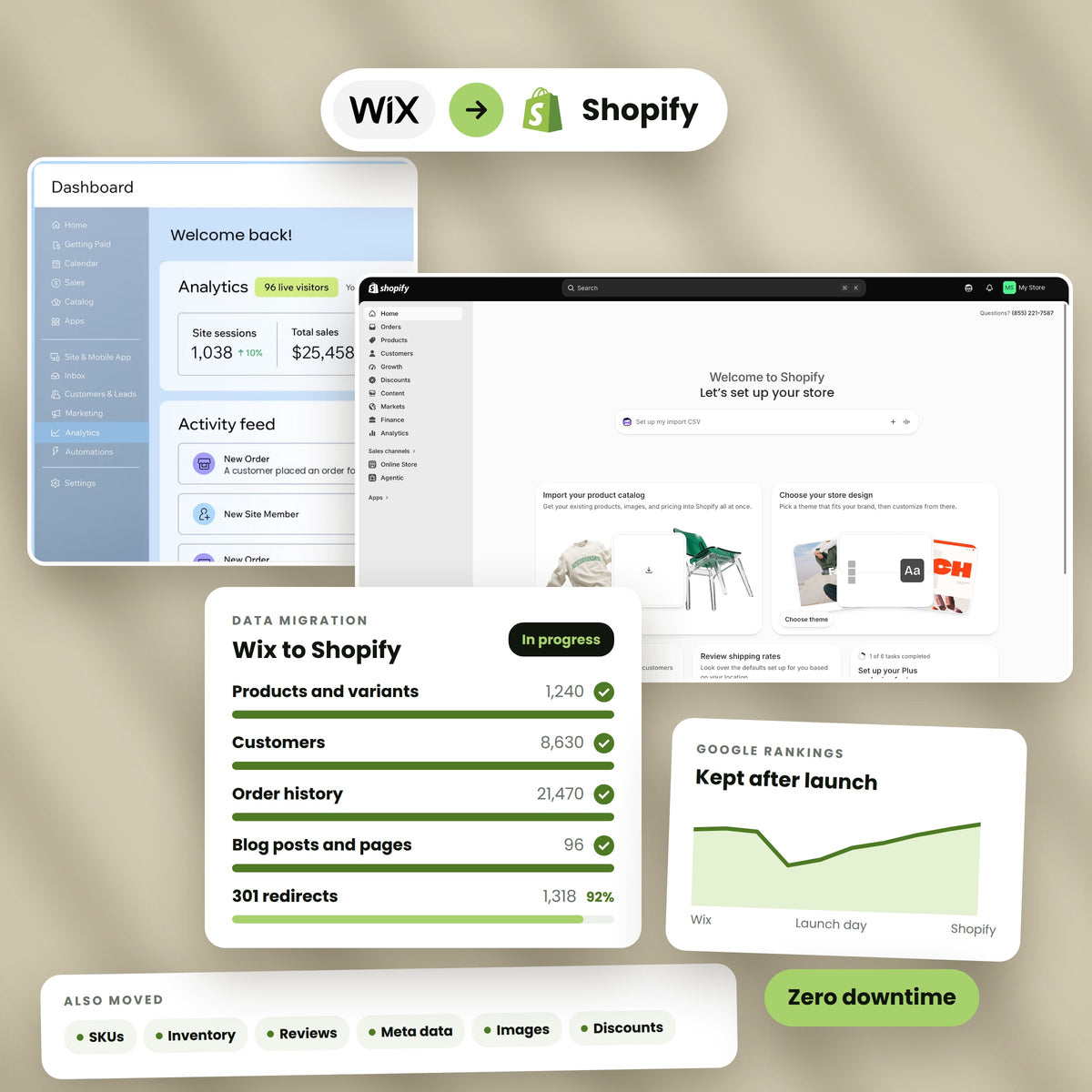
A Wix store and the rebuilt Shopify store side by side
100%
Order history preserved
0 min
Planned downtime
301
Redirects mapped
Partner
Shopify certified
Logo-Image Logo-Image Logo-Image Logo-Image Logo-Image Logo-Image

Why stores leave

Wix stopped being the right tool

Wix is a good website builder. That is the problem. The store is one feature inside it, and once selling becomes the main event you start paying for that in ways that are hard to see at first. These are the four reasons owners give us, roughly in the order they raise them.

Catalogue

The catalogue outgrew the builder

Variant depth, bundles, subscriptions and stock across more than one location are where teams hit the ceiling first. You can force some of it with workarounds. You cannot force all of it, and the workarounds are what break when you are busy.

Apps

The app you need does not exist yet

Shopify has thousands of apps written for one job, which is selling. On Wix you more often wait for the platform to ship the feature, or you pay a developer to approximate it in Velo and then own that code forever.

Reporting

Numbers you cannot drill into

Wix reports what happened. Teams reach a point where they need to ask why: which channel, which variant, which cohort, which discount. Answering that on Wix usually means exporting to a spreadsheet every week.

Exit

Getting your data out is genuinely awkward

Wix exports products and contacts as CSV. Shopify’s own migration guide states that reviews cannot be exported or migrated at all, and that order history needs a third party app. That is worth knowing before you start, not during.

What changes

What you actually gain

Not a longer feature list. Four things that change how the store runs day to day.

  • A platform that only does commerce

    Every release Shopify ships is aimed at selling. Nothing in the roadmap is competing with restaurants, bookings or portfolio sites for attention.

  • Checkout you are not fighting

    Shop Pay remembers buyers across every Shopify store they have used, so returning customers often check out in one tap. On Shopify Plus you can also change the checkout itself, which no plan on Wix allows.

  • An app market with real competition

    For most jobs there are several apps competing, which keeps them priced honestly and maintained. You are picking between options rather than accepting the only one.

  • Stock that matches reality

    Multiple locations, retail, and third party warehouses all report into one inventory record, so what the site says is in stock is what is actually on a shelf somewhere.

Book a migration call

Wix vs Shopify

An honest comparison, including where Wix wins

Most pages on this subject are written to make the switch look obvious. Here is the version we give people on the phone, including the two places Wix is genuinely better. If you are still deciding, read this part properly.

Editing

Wix wins on the editor

The Wix editor lets a non developer drag anything anywhere. Shopify themes put you inside a structure, and moving outside it means touching Liquid or paying someone who can. If nobody on your team writes code and the site rarely changes shape, that difference is real and it is in Wix’s favour.

URLs

Wix wins on URL control

Wix lets you strip the product-page prefix out of your product URLs in SEO settings. Shopify does not let you remove /products/ or /collections/ at all. On Shopify those prefixes are permanent, and that is one of the few things you cannot negotiate.

Depth

Shopify wins on everything about selling

Variants, bundles, subscriptions, multi location stock, B2B pricing, markets and currencies, point of sale. These are core platform features on Shopify and either add ons, workarounds or absent on Wix.

Ceiling

Shopify wins on where it ends

The question is not which platform suits you now. It is which one you will be arguing with in three years. Wix has a ceiling that arrives quietly. Shopify’s ceiling is high enough that most brands never meet it.

Read this first

What Shopify’s own migration tool actually covers

Shopify publishes a step by step Wix migration guide and a first party Store Migration app. Both are useful and both stop well short of a finished store. Every limit below is stated in Shopify’s own documentation, not our opinion of it.

  • 01

    The migration app covers two things

    Shopify’s Store Migration app is in early access, desktop only, and available to some stores rather than all of them. It imports products and customers. It does not touch orders, reviews, blog posts, pages or design.

  • 02

    Three options is a hard ceiling

    Shopify states that products with more than three options will not have their options imported at all. If you sell anything configurable, that is the first thing to check, and the fix is metafields or an app rather than a setting.

  • 03

    A documentation bug that eats your data

    Shopify’s own field mapping table tells you to rename Wix productOptionName3 to Option1 Name and productOptionDescription3 to Option1 Value. Follow that literally and your third option silently overwrites your first. It should read Option3. We map it correctly.

  • 04

    Prices by location collapse

    The migration app does not support prices by location. Shopify sets every product to its highest price instead. If you price differently by market, you are republishing that pricing by hand afterwards unless someone plans for it.

  • 05

    The customer import will not guess

    Shopify is explicit that there is no data mapping support for customer CSV imports. The headers have to match its template exactly or the file is rejected. Wix also exports state as a country code and province joined together, which Shopify will not read.

  • 06

    Orders and reviews need other tools

    Order history imports through a third party app such as Cart2Cart, LitExtension, EZ Importer or MigrationPro. Reviews cannot be exported from Wix at all, so they get rebuilt in Judge.me, Loox or Yotpo. Shopify says both of these plainly.

Before we quote

What we need from you to scope it

Give us these and you get a fixed price and a date instead of a range. It takes about an hour to gather.

  • Your Wix plan and whether the site is on Wix Studio, the classic Editor, or a retired Editor X build
  • Product and variant counts, and whether any product has more than three options
  • How many years of order history you need to keep searchable
  • Every Wix app you are running, and what each one does for the business
  • Any Velo code, custom forms, or logic somebody wrote for you
  • Whether you use Wix Bookings, Events, Members areas or Wix Blog
  • Your top fifty pages by traffic from Google Analytics or Search Console
  • Where the domain is registered and who can change its DNS

Data

What moves across

This is the part that is well understood and low risk. We move it, then we reconcile it against your Wix figures before anyone signs it off.

  • P

    Products and variants

    Titles, descriptions with their formatting intact, SKUs, prices, compare at prices, cost per item, weights and stock. Wix records weight in kilograms and Shopify wants grams, so every value is converted rather than copied.

  • I

    Product images

    Pulled at full resolution and attached in the right order against the right variant. Images landing on the wrong variant is the single most common post import complaint, so we check it per product rather than by sample.

  • C

    Collections

    Wix categories become Shopify collections, with products landing in the right ones on import. Where a category was really a filter, we rebuild it as one instead of carrying the confusion over.

  • U

    Customers

    Names, emails, addresses, phone numbers and marketing consent, reformatted to Shopify’s template exactly, because the import rejects anything that is not an exact header match.

  • O

    Order history

    Full orders with line items, prices paid, dates and fulfilment status, imported as archived so they never touch live stock. Your support team keeps its history and your accountant keeps the trail.

  • B

    Blog posts

    Posts with bodies, authors, publish dates, tags and images. These are usually the pages with the backlinks, which makes their redirects the ones worth getting right first.

  • G

    Pages and policies

    About, contact, shipping, returns and every other static page, rebuilt in the new theme rather than pasted in as a block of legacy markup.

  • S

    SEO metadata

    Title tags, meta descriptions and image alt text move with the record they belong to, so the work you already did on them is not quietly thrown away.

  • R

    Redirects

    Every old Wix URL mapped to its new Shopify address and loaded before launch, not after. Shopify accepts redirects as a CSV import, so the whole map goes in at once.

Reality

What does not move, and what we do instead

No tool moves these. Any agency telling you otherwise is either going to surprise you later or has not looked at your site yet. Each one gets rebuilt, and each one is priced in the quote.

  • 01

    Velo code

    Anything a developer wrote in Velo is tied to Wix’s own APIs and page model. It gets re implemented as a Shopify app, a theme change, Shopify Functions, or metaobjects, depending on what it was doing.

  • 02

    Customer passwords

    Passwords are stored hashed and cannot be read by anyone, including Wix. Every customer resets on first login. We send that email deliberately, before launch, so it reads as a planned step and not a security scare.

  • 03

    Reviews

    Shopify states that reviews cannot be exported or migrated from Wix. Where they are visible on your storefront we can often recover them and load them into Judge.me, Loox or Yotpo. Where they are not, they are gone, and we say so before you sign.

  • 04

    Wix Bookings, Events and Members

    These are Wix products, not data formats. Bookings and Events get replaced with Shopify apps chosen against what you actually use. Members areas become Shopify customer accounts, which work differently and need a decision rather than a copy.

  • 05

    App configurations

    Every Wix app you use is set up again on the Shopify equivalent. The settings, the rules and the content inside those apps do not transfer between platforms, so we list them at scoping and rebuild each one.

  • 06

    The design, exactly

    A Wix layout is built on absolute positioning. Shopify themes are built on sections. We rebuild your design so it reads as the same brand and behaves properly on phones, which is usually an improvement rather than a compromise.

Feature mapping

Your Wix features, and what replaces them

We go through this list with you at scoping, app by app, because the answer depends on what you use rather than what the app is called.

  • B

    Wix Bookings

    Appointment and class booking apps on Shopify handle staff, availability and deposits. The right one depends on whether you take payment up front and whether bookings consume stock.

  • E

    Wix Events

    Ticketed events usually become products with variants for tiers, plus an app for check in and ticket delivery, which gives you one order record per attendee.

  • M

    Wix Members area

    Shopify customer accounts cover login, orders and addresses. Gated content or member pricing needs either customer tags with theme logic, or Shopify B2B if the gating is really wholesale.

  • F

    Wix Forms

    Form apps on Shopify cover the same ground and connect to your email platform directly. Existing submissions stay in Wix, so export them before you close the account.

  • A

    Wix Automations

    Shopify Flow handles the internal rules, and your email platform handles the customer facing ones. We rewrite each automation rather than assume it maps one to one.

  • L

    Wix Blog

    Shopify blogs take the posts, tags and authors. The URL shape changes from /post/slug to /blogs/news/slug, so every post needs a redirect, and those posts are often your best links.

The part that costs money

Every product URL changes. That is not optional.

This is the single biggest risk in a Wix migration and the one most quotes are quiet about. It is not a difficult problem. It is an unforgiving one, because the damage shows up weeks later in traffic rather than immediately in a broken page.

  • The shapes do not match

    Wix products sit at /product-page/your-product. Shopify products sit at /products/your-product. Blog posts move from /post/slug to /blogs/news/slug. Not some of them. All of them.

  • You cannot keep the Wix shape

    Wix lets you strip the product-page prefix in SEO settings. Shopify gives you no equivalent: /products/ and /collections/ are fixed. Shopify’s own guide uses a policy page moving from /policies/shipping-policy to /pages/shipping-policy as its worked example.

  • Handles rewrite themselves quietly

    Shopify handles accept letters, numbers and dashes only. Accents, spaces and full stops are stripped on import. A product called Café No. 5 does not land where you assumed, which breaks a redirect you thought you had written correctly.

  • The map goes in before launch

    We crawl the live Wix site, pull your top pages from Search Console, and build the full map. Shopify accepts redirects as a CSV import, so it all loads at once and is tested before the domain moves, not after someone notices.

Book a migration call

Free

Get the Wix migration checklist

The same checklist we run internally. Forty one items across data, SEO, apps, payments and launch. No email wall.

Send me the checklist

We reply within one working day.

How it runs

Six stages, and what you sign off at each one

You approve the end of every stage before the next one starts. Nothing moves to your live domain until you have used the new store yourself.

Audit

We go through the Wix site properly: catalogue shape, apps, Velo code, traffic and where it lands. You get a written scope with the things that need rebuilding named and priced.

  • Catalogue and variant audit
  • App and Velo inventory
  • Top pages by traffic
  • Fixed price and date

Situations

Migrations shaped like yours

Written as scenarios rather than logos. We do not publish client names or numbers without written permission, and we are not going to start on a page that is trying to win your trust.

Apparel

Six hundred products with deep variants

A Wix store where size and colour had been forced into three option slots and a naming convention. Rebuilt as proper Shopify variants with the fourth attribute moved into metafields, so filtering worked for the first time.

Every variant addressable and filterable

Food and drink

Four years of order history kept searchable

Support needed to answer questions about orders placed long before the migration. Historic orders imported as archived records so they never touched live stock levels, and stayed searchable by customer, product and date.

Support answered day one with full history

Home and interiors

A blog carrying most of the organic traffic

The catalogue was small and the blog was doing the work. Every post mapped from /post/slug to its Shopify address, with the top fifty checked by hand against Search Console before the domain moved.

Rankings held through the switch

Rankings

How we protect the traffic you already have

A migration is the easiest way to lose organic traffic and one of the harder things to recover. Expect a small dip for two to four weeks while Google recrawls. Anything still down at week six is a problem, not a phase, and that is the line we hold ourselves to.

A Shopify product page scoring 97 on performance, with the redirect map beside it
  • Redirects before the domain moves

    The full map is imported and tested while the Wix site is still live, so the first crawler to arrive after the switch already finds a clean 301 rather than a 404.

  • Metadata travels with the record

    Title tags and meta descriptions move with the product or post they belong to. Shopify will happily generate its own if you let it, and that is how carefully written pages quietly lose the thing that made them rank.

  • Sitemap submitted the same day

    Shopify generates the sitemap automatically. We submit it to Search Console on launch day so recrawling starts immediately instead of whenever Google next wanders past.

  • Thirty days of watching

    We check coverage, crawl errors and redirect chains daily for the first month. Most problems appear in week one and are cheap to fix then.

Talk to us about your rankings

Starting point

Which Wix setup you are on

The export path and the amount of rebuilding both change depending on which Wix you are running. We confirm this in the first ten minutes.

  • 01

    Wix eCommerce on a Business plan

    The common case. Wix Stores sitting inside a standard Wix site. Product and contact CSV exports are available, order export needs care, and the rebuild is mostly design and apps.

  • 02

    Wix Studio

    Wix’s platform for agencies and larger sites. Usually more custom layout work and more Velo, which means more to re implement, and often a better looking starting point to match.

  • 03

    A retired Editor X build

    Wix finished retiring Editor X in January 2025 and moved existing sites onto Wix Studio. If nobody on your team remembers doing that, your site was moved automatically, and it is worth checking what came with it.

Price

What actually drives the number

We quote fixed after the audit. These are the five things that move the figure, so you can guess roughly where you sit before you speak to anyone.

  • 01

    Catalogue size and shape

    Two hundred simple products is a different job from two hundred products with four options each. Option depth costs more than product count, because that is where the mapping work lives.

  • 02

    How much history you keep

    Orders need a third party import tool and reconciliation afterwards. Keeping one year costs less than keeping six, and most businesses need less than they first say.

  • 03

    Velo and custom functionality

    Custom code is the least predictable part of any Wix migration. We read it during the audit and price the rebuild specifically rather than adding a contingency.

  • 04

    Design

    A well chosen theme with your brand applied is the cheapest route and suits most stores. Matching an unusual Wix layout closely, or designing something new, is a separate line.

  • 05

    How many URLs you are protecting

    A store with a hundred indexed pages and one with eight thousand need the same care and very different amounts of time. Redirect work scales with what you have ranking.

Also

Other platforms we move stores off

The method is the same wherever you are starting from: audit first, rebuild what cannot move, protect the URLs.

  • BC

    BigCommerce to Shopify

    Catalogue, customers and order history, with the option and modifier differences handled properly.

    BigCommerce migration
  • Sq

    Squarespace to Shopify

    Products, every blog rather than the one the export gives up, and the domain handled properly.

    Squarespace migration
  • WC

    WooCommerce to Shopify

    Off WordPress hosting, with the plugin stack reduced to what the business actually uses.

    WooCommerce migration
  • M2

    Magento to Shopify

    Adobe Commerce replatforming, with the extension audit done before anyone quotes a price.

    Magento migration
  • SF

    Salesforce to Shopify

    Commerce Cloud replatforming, with the cartridge and integration audit done before the price.

    Salesforce migration
  • +

    Shopify to Shopify Plus

    Upgrades where the store stays and the plan, checkout and B2B setup change around it.

    Talk to us
  • C

    Custom and legacy builds

    Bespoke carts and in house systems, where the export has to be written before anything can move.

    Talk to us

How we work

What you get from us specifically

Minutes of planned downtime at cutover
0
URLs mapped and tested before launch
100%
Days of monitoring after launch, included
30
Price after the audit, never a range
Fixed

A migration is mostly project management with technical work attached, so what matters is what the migration company will put in writing. These are ours.

Risk

Your Wix store stays up the whole time

Nothing we do touches the live store until you have signed off on the new one. The Wix site keeps selling right up to the moment the domain moves.

  • We build alongside, never on top

    The Shopify store is built on its own address behind a password. Your Wix store carries on trading and taking orders as normal throughout.

  • Two imports, not one

    The first import is a trial we expect to find problems in. We fix the mapping, wipe it, and run it again clean, so launch day is a repeat of something that already worked.

  • Orders reconciled against your figures

    Counts and totals are checked against Wix before sign off. You see the comparison rather than being told it matched.

  • The cutover is a DNS change

    The switch is a domain change at a quiet hour, tested in advance. We disconnect the domain from Wix first, which is what prevents the certificate errors that catch people out.

  • A way back

    Keep the Wix plan running for a month after launch. It costs very little, it keeps your original data and reviews reachable, and it means a bad week is recoverable.

Questions

Wix to Shopify migration questions

The questions we are actually asked, answered properly.

How long does a Wix to Shopify migration take?

Two to three weeks for a straightforward store of a few hundred products. Four to eight weeks where there is Velo code, deep variants, years of order history or a design that has to be matched closely. The audit gives you a date rather than a range, and the thing that most often moves it is how quickly you can get us access and answers.

Will my SEO rankings drop after migrating?

Expect a dip of two to four weeks while Google recrawls and reassigns authority through your redirects. That is normal and it recovers. What is not normal is still being down at week six, which almost always means missing or broken redirects rather than anything Google decided. The redirect map is the single highest value part of this project.

Can my customers keep their passwords?

No, and no platform can do this. Passwords are stored as one way hashes that nobody can read, including Wix. Every customer resets on first login. We send that email before launch and explain it as a planned step, which turns it from a support problem into a non event.

What does a Wix to Shopify migration cost?

It depends on catalogue shape, how much order history you keep, how much custom code needs rebuilding and how many URLs you are protecting. We quote a fixed price after the audit rather than publishing a table, because a table would be wrong for most stores that read it. The audit itself is free.

What data can actually be migrated from Wix?

Products and variants, images, collections, customers, order history, blog posts, static pages and SEO metadata. What cannot move is Velo code, app configurations, customer passwords and reviews. Shopify states plainly in its own guide that reviews cannot be exported or migrated from Wix.

Do I have to take my Wix store offline during the migration?

No. The Shopify store is built on a separate address behind a password while your Wix store keeps trading. The only moment anything changes for customers is the DNS cutover, which we schedule for a quiet hour and which involves no planned downtime.

Will my Shopify store look the same as my Wix store?

It will read as the same brand. It will not be pixel identical, and trying to make it so is usually a waste of money. Wix layouts are absolutely positioned and Shopify themes are built from sections, so we rebuild the design in the new structure. The result is normally better on phones, which is where most of your traffic is.

Can I keep my Wix URLs so nothing changes?

No. Shopify requires /products/ and /collections/ in its URLs and gives you no way to remove them, which is one of the few things on the platform you cannot configure. Wix is actually more flexible here. The answer is not to preserve the URLs but to redirect every one of them properly, which preserves the rankings instead.

Can I keep my domain name?

Yes. You either point the existing domain at Shopify or transfer it across. Either way the domain needs disconnecting from Wix first, otherwise you get SSL certificate errors that make the new store look broken. DNS changes can take up to forty eight hours to propagate, so we plan the switch around that rather than hoping.

What happens to my Google rankings for blog posts?

Wix posts sit at /post/slug and Shopify posts sit at /blogs/news/slug, so every one changes and every one needs a redirect. Blog posts are usually where your backlinks are, which makes them the highest value redirects on the site. We check the top fifty by hand against Search Console.

Do I need a Wix to Shopify migration agency, or can I do this myself?

You may well not, and we would rather say so. If you have a small, simple catalogue, no order history worth keeping and no custom code, Shopify’s own Store Migration app and CSV imports will get you there and you should keep your money. That app covers products and customers only, it is in early access, and it caps products at three options. Once orders, Velo code or real search traffic are involved, the redirect mapping and the rebuild are where the risk sits, and that is what you would actually be paying an agency for.

What is the three option limit everyone mentions?

Shopify products support three options, such as size, colour and material. Shopify states that products with more than three options will not have their options imported at all. If you sell anything configurable, we check this at audit and move the extra attributes into metafields or a product options app so nothing is lost.

Is there anything wrong with Shopify’s official migration guide?

One thing, and it matters. The field mapping table tells you to rename Wix productOptionName3 to Option1 Name and productOptionDescription3 to Option1 Value. Follow it literally and your third option overwrites your first. It should say Option3. Anyone doing this by hand from that page with a three option catalogue will lose data and may not notice until a customer orders the wrong thing.

Can I move my product reviews?

Not through any supported export. Shopify says directly that you cannot export or migrate reviews from Wix. Where reviews are publicly visible on your storefront we can often recover them and load them into Judge.me, Loox or Yotpo. Where they are not visible, they are lost, and we tell you that before you sign rather than after.

What about Wix Bookings and Wix Events?

These are Wix products rather than data you can export, so both get rebuilt. Bookings becomes a Shopify booking app chosen against how you take payment and whether appointments consume stock. Events usually becomes products with variants for ticket tiers plus a check in app. We scope both against what you actually use, not what the feature can do.

Will I lose my Wix apps and the work inside them?

The apps do not transfer and neither do their settings or their stored content. We list every app at audit, find the Shopify equivalent, and set it up again. Most migrations end with fewer apps than they started with, because several Wix apps exist to fill gaps that Shopify covers natively.

What happens to my Wix subscription after I migrate?

Keep it running for about a month after launch. It is inexpensive next to the cost of needing something you deleted, it keeps your original data and reviews reachable, and it gives you somewhere to check against if a number looks wrong. Cancel it once you have been trading happily on Shopify for a few weeks.

Do you migrate order history, and does it affect my stock?

Yes, and no. Historic orders import as archived records, which means they are fully searchable by customer, product and date but never touch live inventory counts. Shopify’s native CSV import does not accept orders at all, so this always runs through a dedicated tool and then gets reconciled against your Wix totals.

Which migration method is right for a large store?

Not manual CSV editing. Past a few hundred products the reformatting alone introduces errors, and a single malformed row fails the import with little explanation. Large catalogues go through a dedicated migration tool with the field mapping written once and tested on a trial run, then corrected and run again.

Other agencies say they migrate everything including reviews. Who is right?

Check it against Shopify’s own migration documentation, which states that reviews cannot be exported or migrated from Wix. Any page promising that every entity transfers with nothing left behind is either counting a manual rebuild as a migration or has not checked. We would rather tell you what gets rebuilt before you sign than have that conversation afterwards.

Who owns the Shopify store and the work afterwards?

You do. The Shopify account is in your name and billed to you from the start, and we work inside it as staff. Theme code, redirect maps and migration scripts are yours and handed over at the end. You can take the store to another agency or run it yourself without asking us for anything.

What if I decide Shopify is not right after all?

That is what the audit is for, and it happens. If your store is small, your catalogue is simple and nothing about Wix is actually blocking you, we will say so and you should stay. A migration you did not need is an expensive way to end up roughly where you started.

Insights

More on migrating to Shopify

All posts

Posts are on the way.

Start here

Get a Wix migration plan

Send us your Wix store address and we will come back with what moves, what needs rebuilding and what it costs. No obligation and no pressure. If you are better off staying on Wix we will tell you that.

  • A written scope of what moves and what gets rebuilt
  • A fixed price and a launch date, not a range
  • An honest answer on whether you should migrate at all
Wix to Shopify

Move the store without losing the rankings

Our Wix to Shopify migration service covers the catalogue, the customers, the order history and the redirects. You keep trading on Wix until the day it switches.